 ## How do I use it?
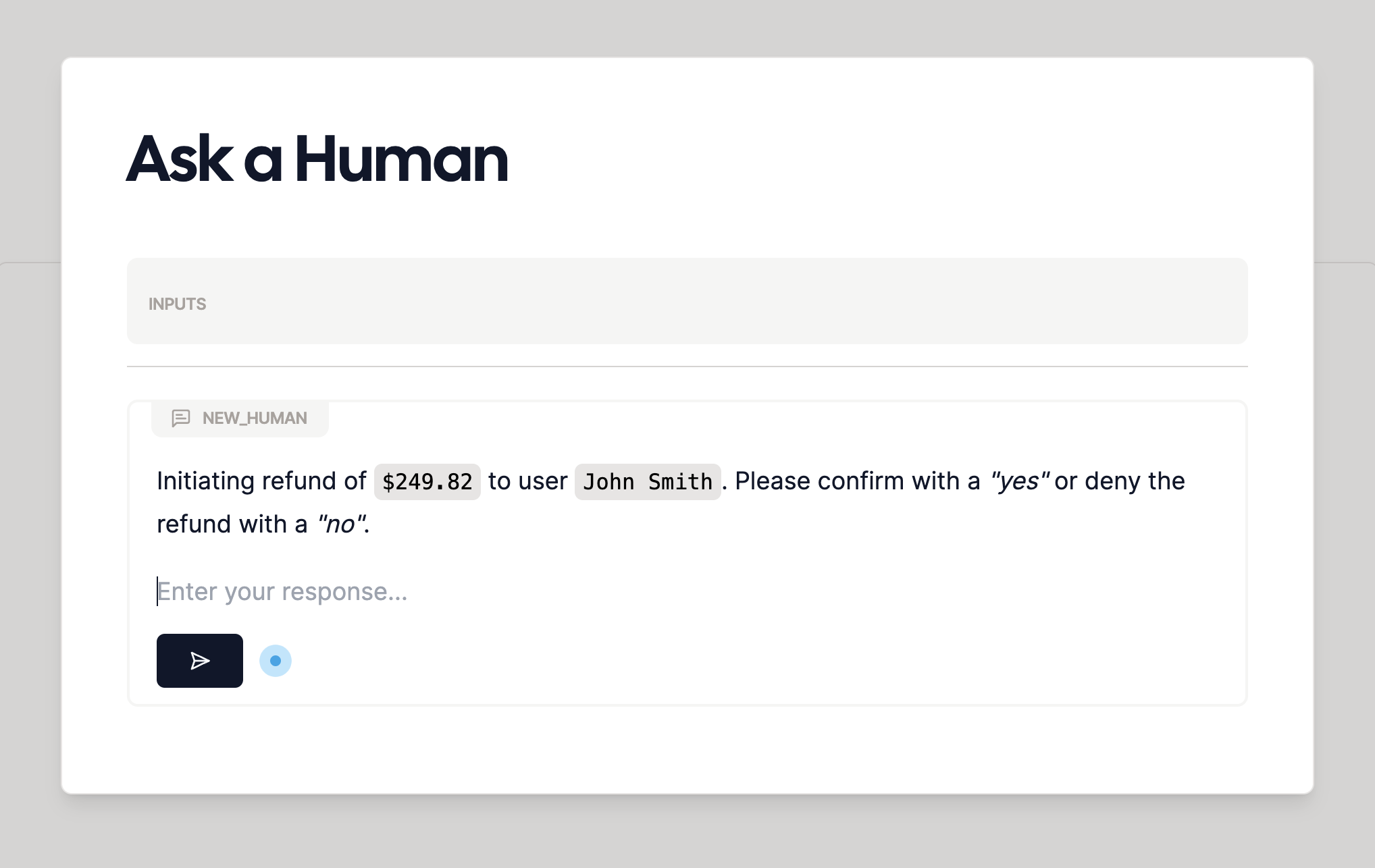
A human ask takes a request for the human to respond to in the editor. When you run the WordApp, the human will be
prompted to fill in the request, with execution pausing until the human responds, and the response will be available
for any later steps.
To create a human ask, type `/human` in the editor, and hit `Enter`.
### Options
A few options appear when you create an ask a human. Here's what they mean:
#### Name
The name of the human ask for later [@referencing](/nodes/mention). As with a generation you can change this in the attributes editor:
## How do I use it?
A human ask takes a request for the human to respond to in the editor. When you run the WordApp, the human will be
prompted to fill in the request, with execution pausing until the human responds, and the response will be available
for any later steps.
To create a human ask, type `/human` in the editor, and hit `Enter`.
### Options
A few options appear when you create an ask a human. Here's what they mean:
#### Name
The name of the human ask for later [@referencing](/nodes/mention). As with a generation you can change this in the attributes editor:
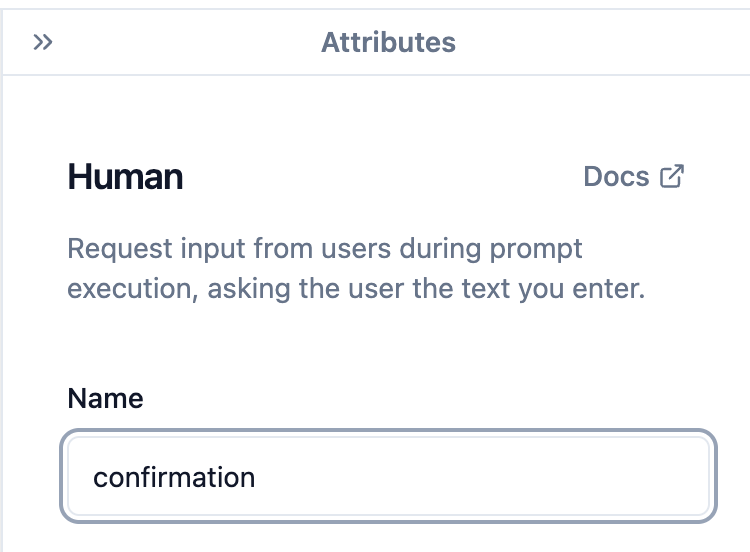 Or in the main editor:
 ### Outputs
#### `response`
The response from the human. This is the text that the human provides in response to the provided request
### Outputs
#### `response`
The response from the human. This is the text that the human provides in response to the provided request